

Before you start
- A Mac running macOS 14 or later
- SoundShare installed from the Mac App Store
- Two charged sets of AirPods paired with the same Mac
- A quiet minute to set a comfortable volume for each listener
Bluetooth pairing alone does not make the Mac play through both pairs. Pairing makes the headphones available; SoundShare handles selecting and synchronizing the outputs for the shared-listening session.
Connect two AirPods with SoundShare
- 1
Pair both sets of AirPods
Open System Settings → Bluetooth and connect each pair. Both should appear as connected audio devices before you open SoundShare.
- 2
Open SoundShare
Launch SoundShare from the Applications folder or menu bar. The app lists the audio outputs currently available from macOS.
- 3
Select both AirPods
Choose the two pairs you want to use. Check that both are shown as active before starting playback.
- 4
Play audio and balance the volume
Press Start Listening, then start a movie, song, podcast, or browser video. Adjust each pair independently in SoundShare until both listeners are comfortable.
What the SoundShare steps look like
These SoundShare interface captures were rendered from production views with deterministic sample devices. Your AirPods names and battery values will reflect what the connected hardware reports to macOS.
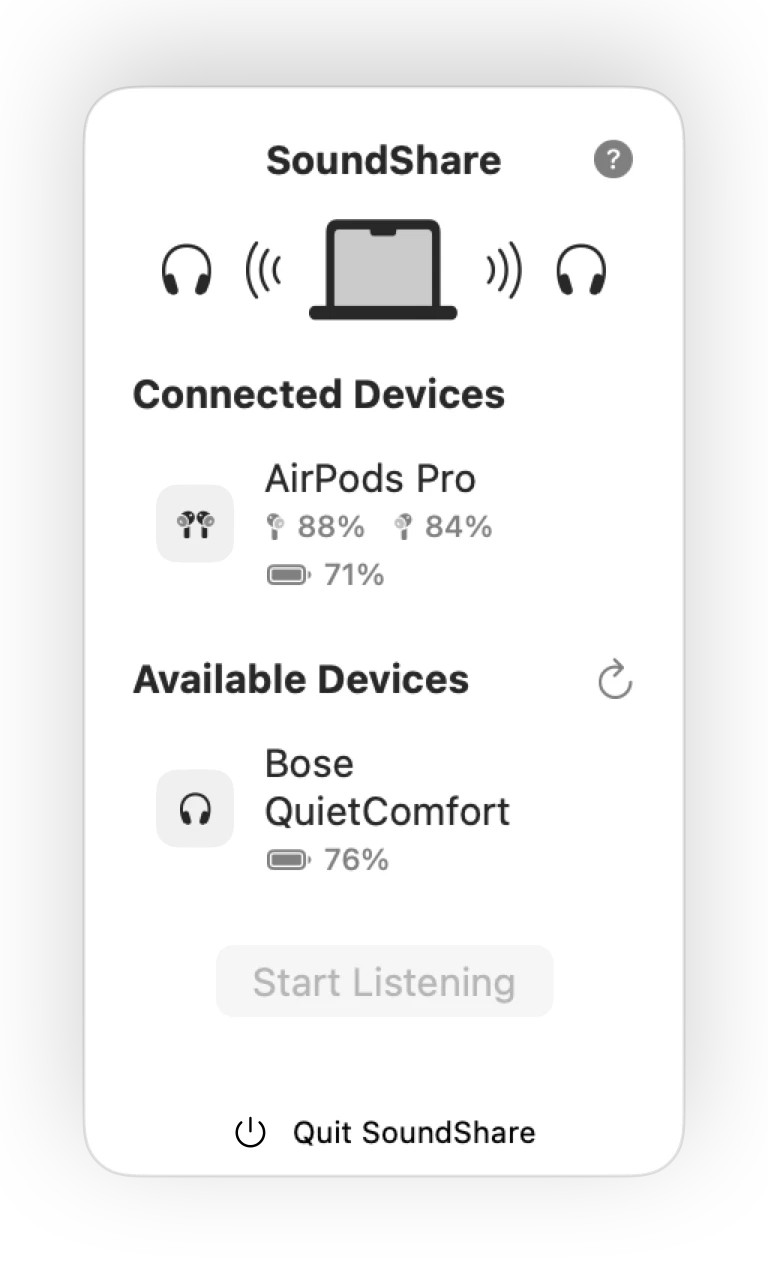
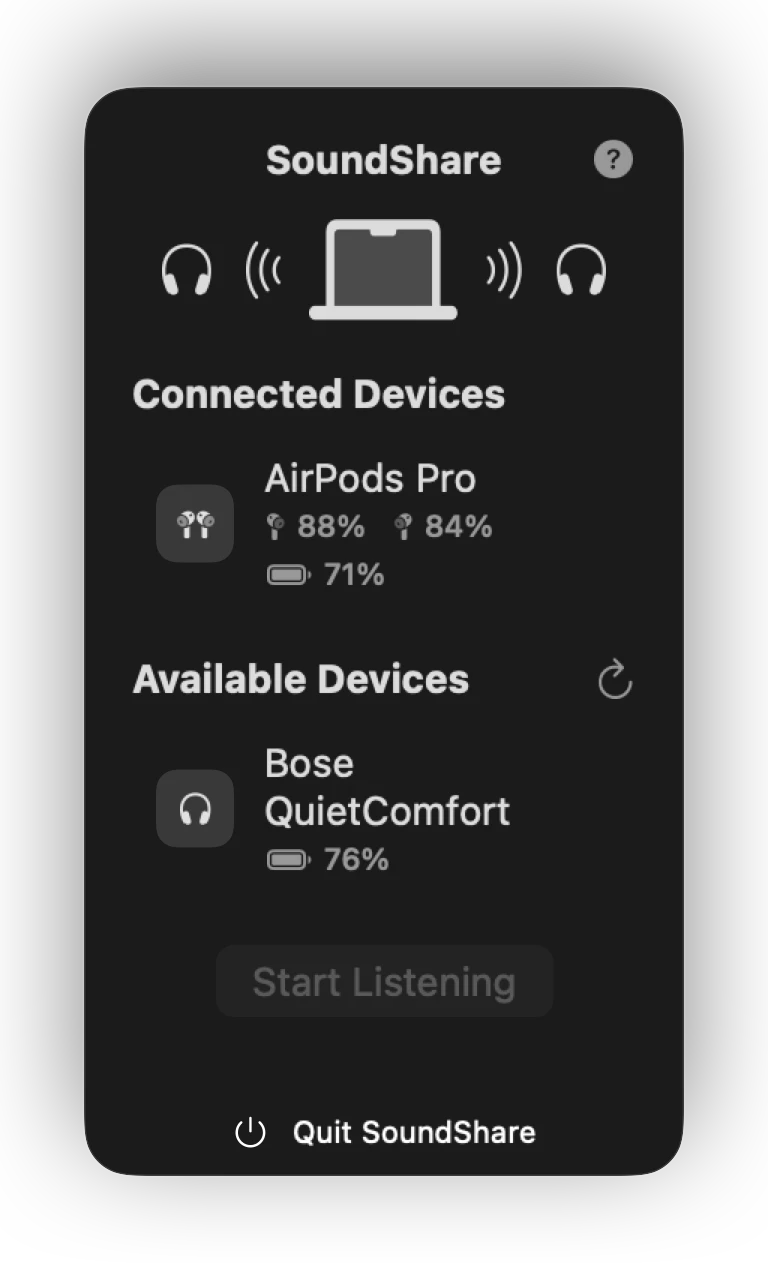
1. Confirm the outputs appear
SoundShare separates devices that are already connected from outputs that are still available to connect.
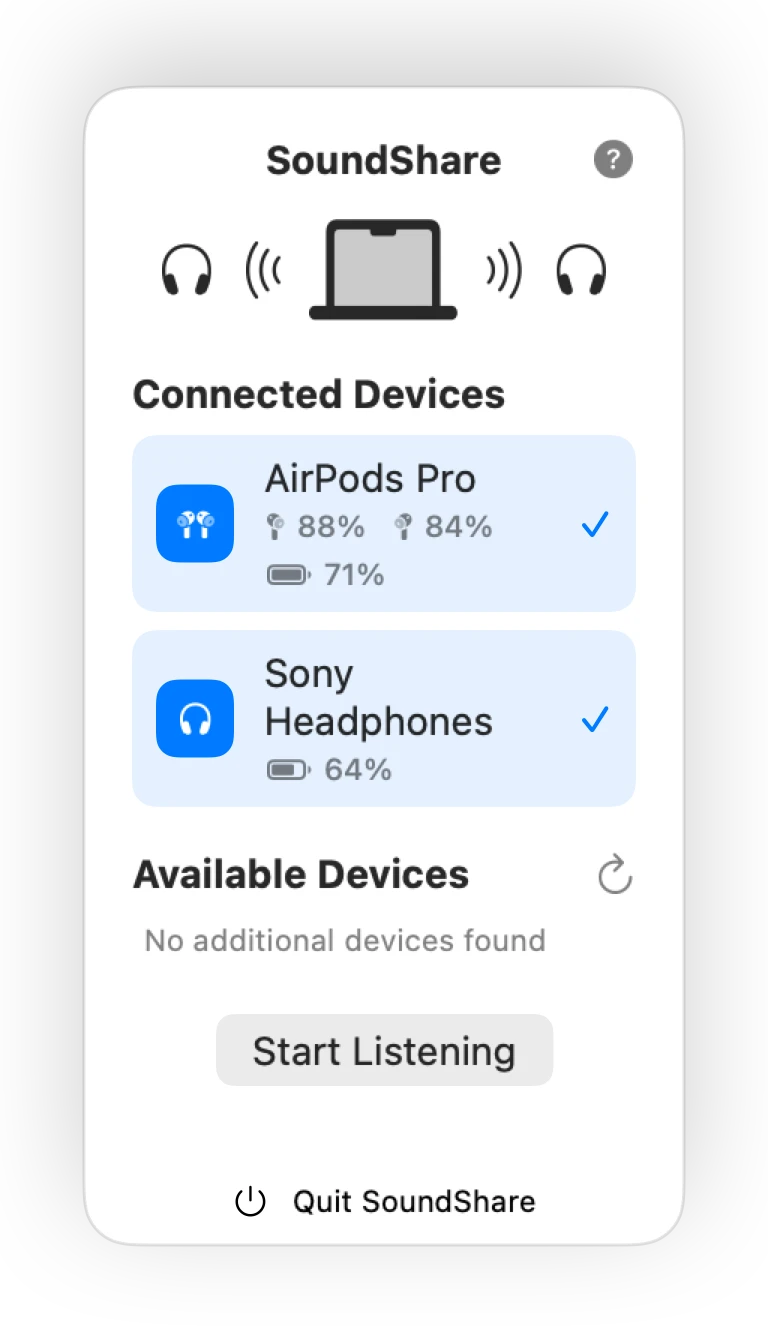
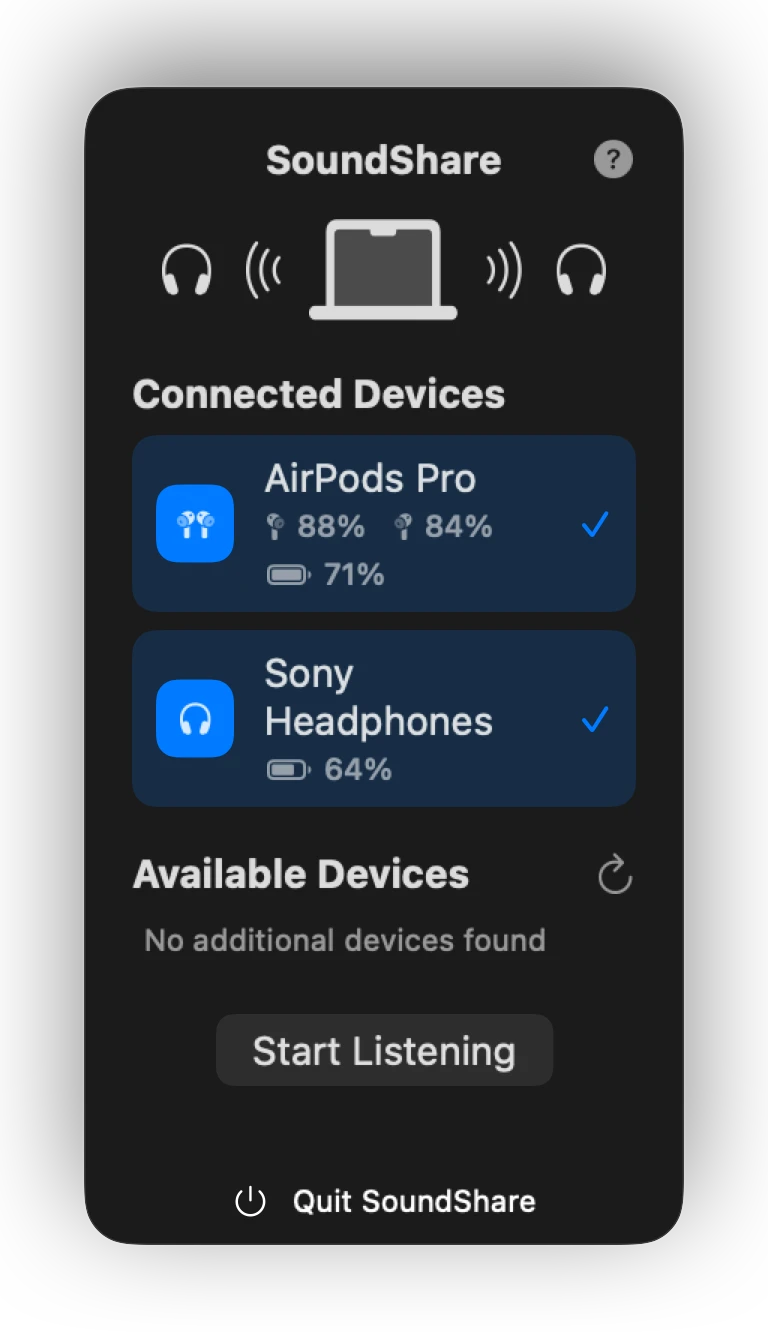
2. Select both listeners
Blue device controls show which outputs will join the listening session before you press Start Listening.
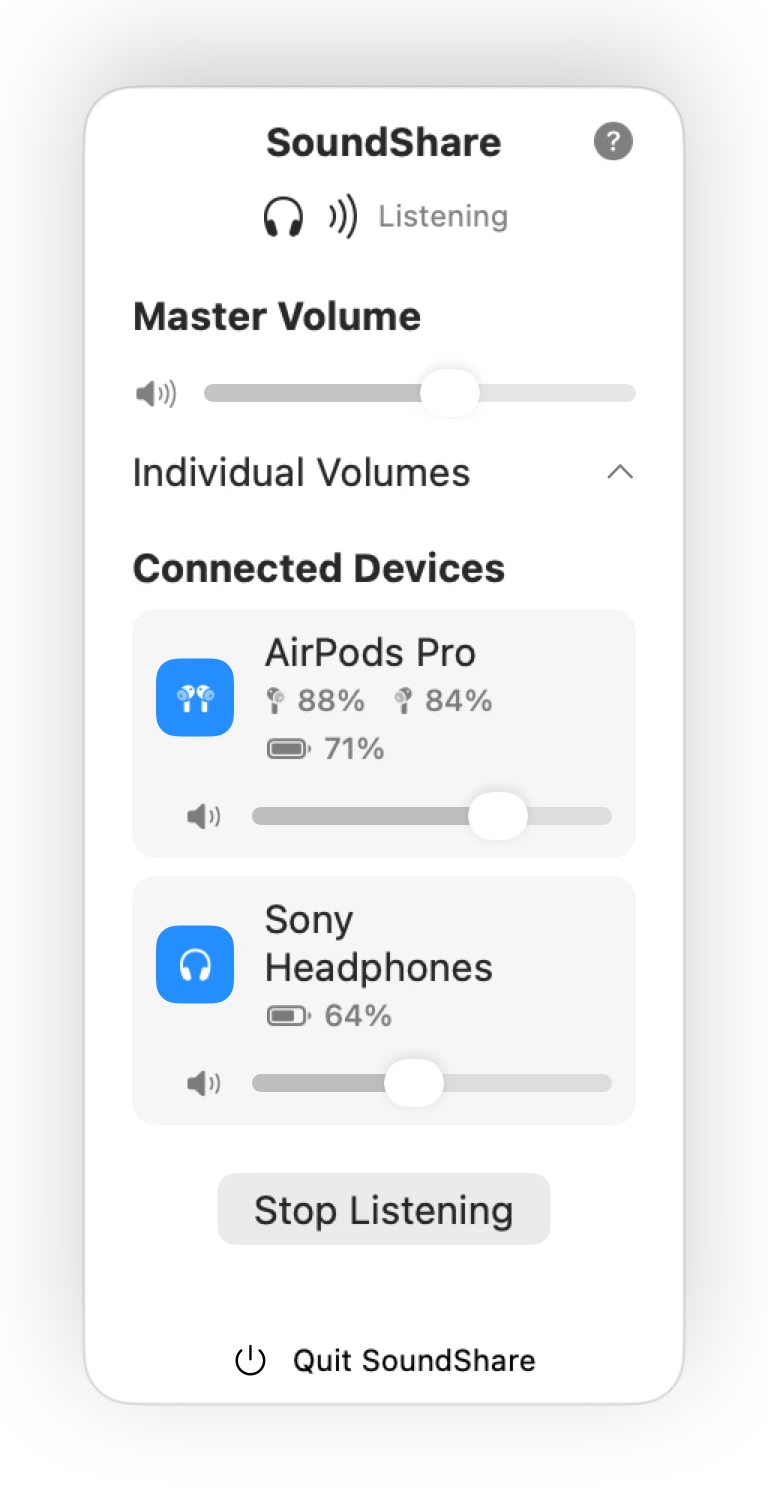
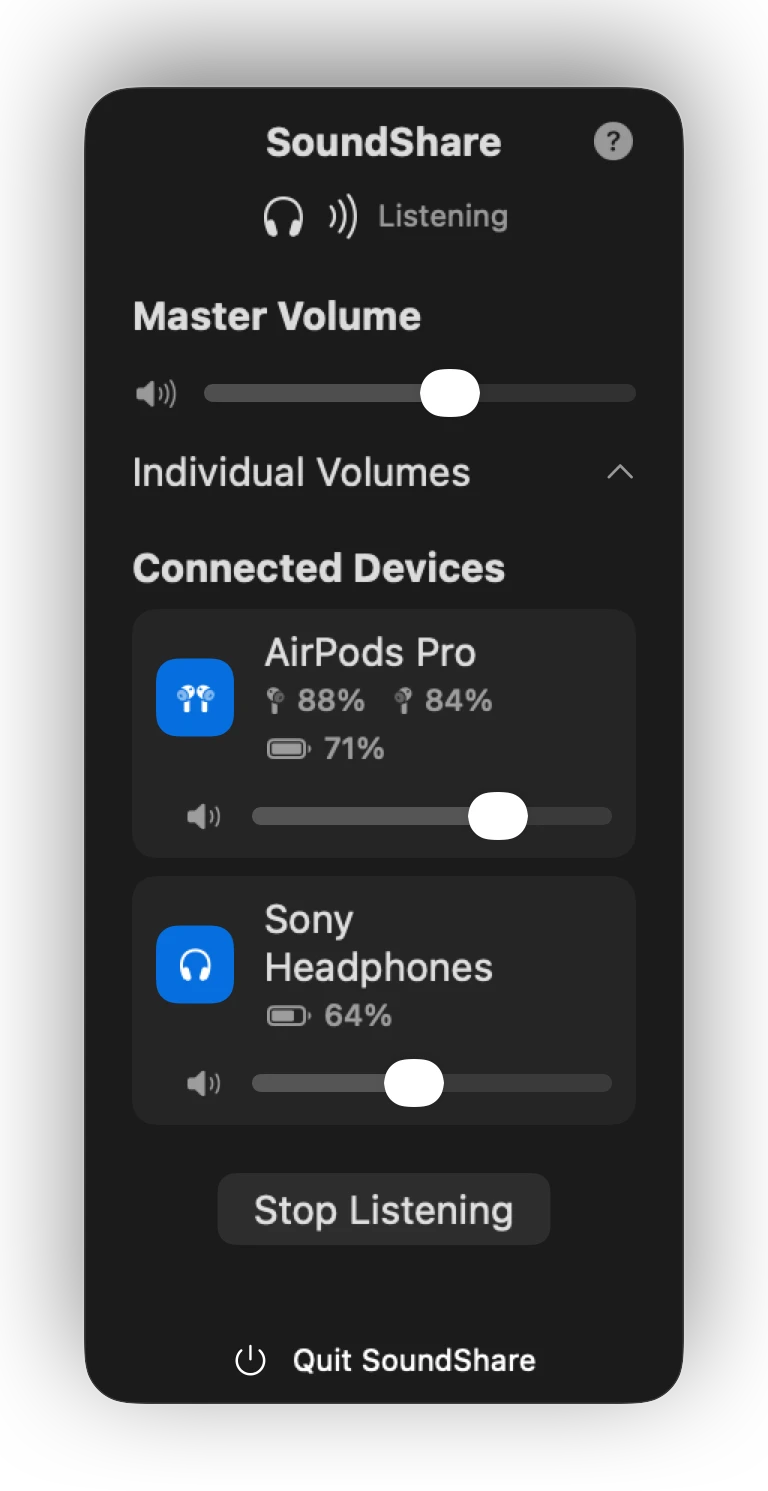
3. Balance the volumes
Expand Main Volume to adjust each listener independently while the shared session is active.
What SoundShare adds to the setup
One place to choose outputs
See the available devices and select the two pairs for this listening session.
Separate volume controls
Balance each pair without asking both listeners to accept the same volume.
Drift compensation
SoundShare uses CoreAudio drift compensation to help selected outputs stay aligned.
Battery at a glance
See battery information when the connected device reports it to macOS.
If one pair does not appear
- Confirm the missing pair says “Connected” in System Settings → Bluetooth.
- Disconnect it from a nearby iPhone or iPad that may have taken the connection.
- Quit and reopen SoundShare after both pairs are connected.
- Charge both pairs and keep them close to the Mac during setup.
If a device is visible but will not join the session, try two headphones with compatible audio formats. Bluetooth models can expose different sample rates, and the exact result depends on what macOS reports for each device.
Best results for a movie or long listening session
Start with charged headphones, keep the Mac and both listeners nearby, and reduce crowded 2.4 GHz wireless traffic when possible. Similar headphone models often have more similar inherent latency, although SoundShare still compensates for clock drift between outputs.
If a pair disconnects—or the Mac output does not return
Stop the SoundShare session before reconnecting a dropped pair, confirm it is connected in Bluetooth settings, then reopen SoundShare and select both outputs again. SoundShare saves the previous system output and restores an available non-SoundShare output during cleanup.
If the Mac remains on an unexpected output after a forced quit, reopen and quit SoundShare once so launch recovery can remove an interrupted session. You can then choose the intended speaker or headphone in the normal Sound menu. Include the Mac, macOS, app version, and both AirPods models in a support report if the problem repeats.